Cosmetics (/cosmetic)
 Sir589
14.11.2026 19:45
3 sections
/cosmetic opens a 3D wardrobe. The camera stops, your character appears in the middle of the screen, and a panel showing the cosmetics you own appears next to it.
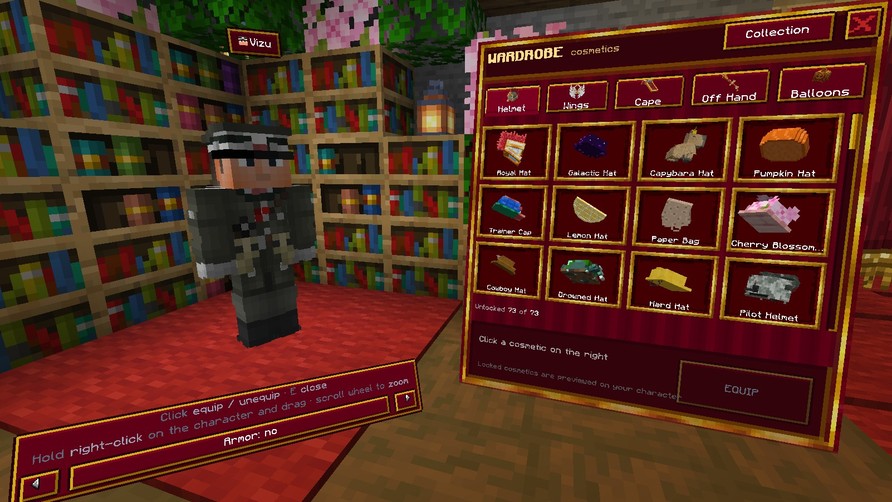
Wardrobe Controls
- Mouse moves the cursor, left-click equips or removes cosmetics.
- Hold the right mouse button and drag to rotate your character.
- Scroll wheel zooms in and out. You can also view your character from above.
- Close the wardrobe using E, Shift or the X button.
Categories
- Helmet – hats and caps
- Wings
- Backpack
- Off-hand
- Ring
Where to Get Cosmetics
Mainly from the Cosmetic Crate – it contains 55 hats and caps. You can get a Cosmetic Key from /daily, for playtime, at level 25, in /afkshop or /rubinshop.
ℹ️ How you see it: You can only see your cosmetic helmet in third-person view (F5). In first-person view, it would obstruct your vision. Other players can always see it.