Getting Started
 Sir589
14.11.2026 19:45
7 sections
This page will guide you through your first few minutes on Survival. By following it step by step, you'll have gear, your own protected land, a job, and your first rewards.
💡 Your first 10 minutes: After joining, new players receive 5 tasks in the boss bar – claim /kit, head into the wilderness using /rtp, mine your first ore, sell something in /shop, and open a crate. Each task gives a reward. Completing all of them grants 2 500 $, 25 ❖ and a Voting Key. Use /uvod to see where you are.
1. Claim your gear and rewards
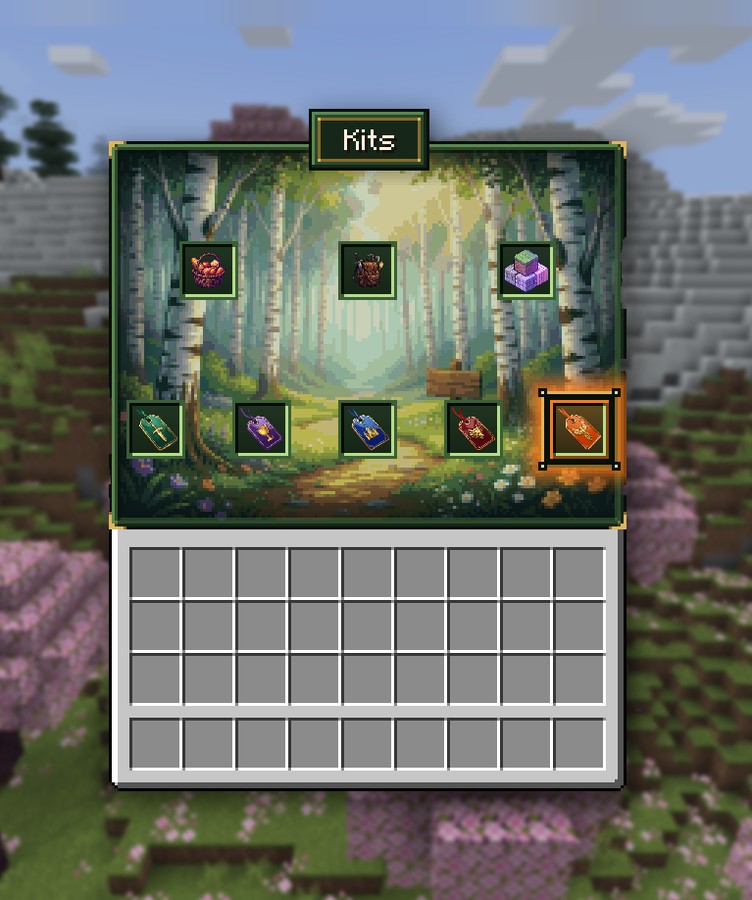
/kit– opens the kit menu. Start by claiming Player (wooden gear set, tools, food, key, coins) and Food. The Player kit is available once a week, while Food is available every 2 hours./reward– daily, weekly and monthly rewards (coins and Rubies). Claim your daily reward every day./daily– a 28-day daily reward calendar, with something new every day (coins, Rubies, keys)./vote– vote for the server. You'll receive a Voting Key and money for every vote.
2. Find a place and claim it
/rtpwill teleport you to a random location – click Wilderness (main world) in the menu, or choose another world.- Once you find a place where you want to build, claim it as a residence – nobody will be able to break or steal anything there. The quickest way: stand in the middle and type
/res auto. - Set your home:
/sethome dum. You can return anytime using/home dum.
⚠️ The Mining world resets. Never build in the mining world – it's only for mining, and your builds won't last there.
3. Choose a job
Type /jobs and choose a job (Miner, Woodcutter, Farmer, Fisherman, Hunter or Enchanter). You earn money and job XP for every action you perform. At the beginning, you can have 1 job, increasing to 3 with higher ranks. Learn more in the Jobs article.
4. Complete quests and earn playtime
/dailyquest– 5 new tasks with rewards every day. Complete all of them for a bonus and a Voting Key./quest– hundreds of long-term quests organized into categories/playtime– reach playtime milestones to earn rewards (daily, weekly and overall)
5. Sell items and make money
/shop– buy and sell resources./sell handor/sell allsells items directly from your inventory.- Sell Chest automatically sells everything you put inside.
/ah– auction house where you can sell items to other players
6. Progress through the ranks
Type /rankup. You'll see what's required for the next rank (playtime, money, tasks and items to submit). Every rank adds benefits – money, Rubies and keys, a larger residence, more jobs and quests. You can find the complete overview in the Ranks article.
Useful commands to get started
| Command | What it does |
|---|---|
/spawn | teleports you to spawn |
/tpa <player> | requests to teleport to a player |
/back | returns you to your last location (even after death) |
/bal | your money balance |
/msg <player> <message> | private message |
/craft | crafting table from anywhere |
You can find all commands on the Commands page. In chat, the Tab key only suggests commands you're actually allowed to use.